Run your whole job search from one command center.
Applications, interviews, contacts and resumes in one app. Scheduled searches bring in new roles and AI tells you which ones fit — all on a server you own.
MIT licensed · No account needed for the demo
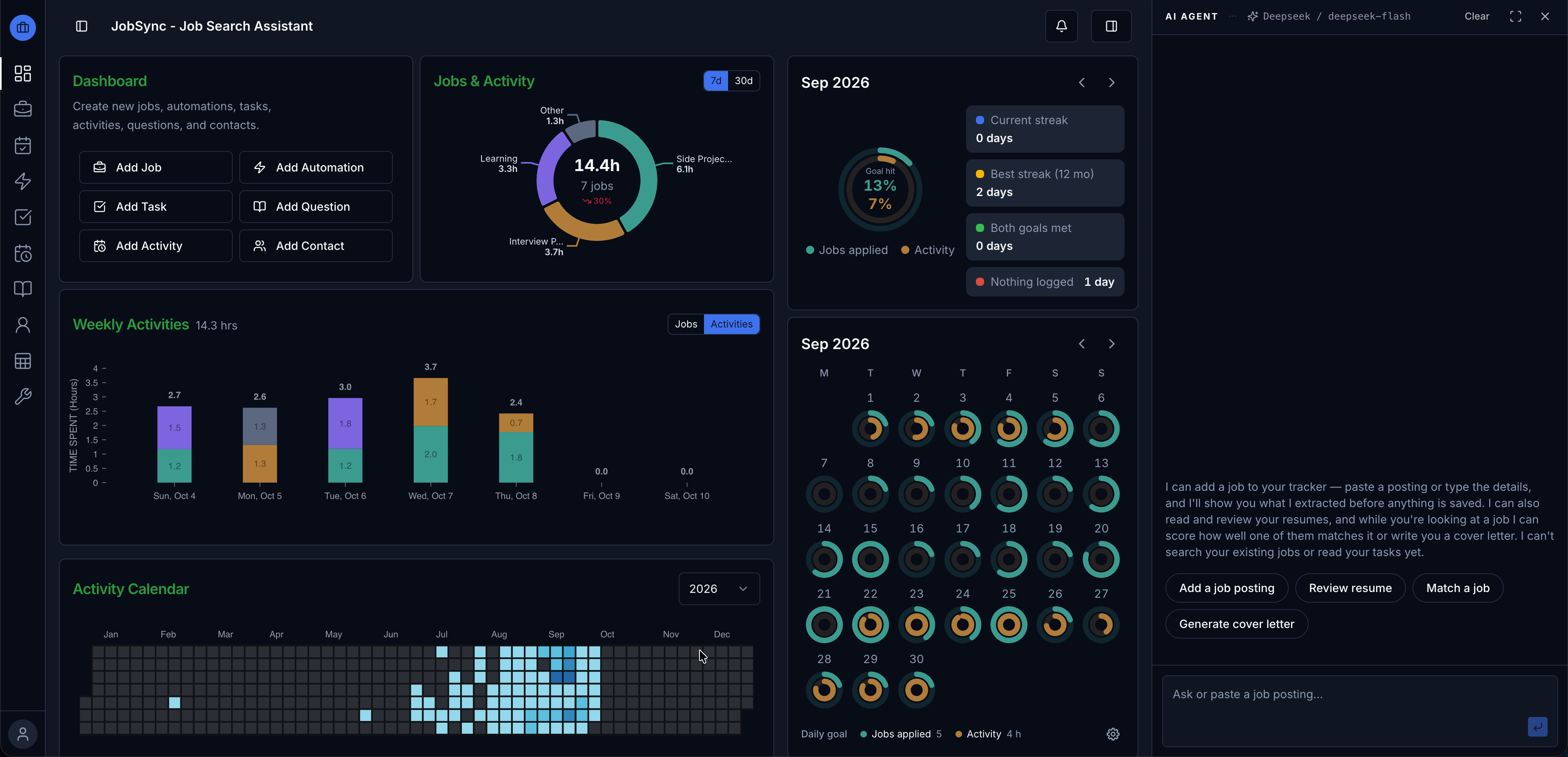
Everything your job search needs, in one place
From finding the role to remembering what the third interviewer asked.
Find roles
- Scheduled discovery across Greenhouse, Lever and Ashby job boards — no API keys needed.
- AI matching scores every listing against your resume.
- Company watchlist for the places you'd love to work.
Apply well
- Resume import from PDF or .docx, reviewed section by section.
- AI resume review and PDF export in two layouts.
- AI assistant that writes cover letters and adds jobs you confirm.
Interview ready
- Job timeline with every stage, interviewer and question asked.
- Contacts and company pages for recruiters and hiring teams.
- Question bank of answers, tagged by skill.
Stay on track
- Application tracker with status and dates for every job.
- Tasks and activity timer, plus daily goals on the dashboard.
- Backup and restore everything as a single zip.
Manage all your applications
Company, title, dates and status for every job you've applied to. Filter and sort to see what needs a follow-up.

Know your fit before you apply
Paste a job posting to see how well your resume matches, then get specific feedback on the gaps worth fixing for that role.

How it works
- 1
Add jobs and match them
Paste a posting or let the assistant add it, then see how your resume fits and what to improve.
- 2
Let discovery run
Schedule searches across thousands of company job boards and review only the strong matches.
- 3
Walk into interviews prepared
Log each round, keep notes on who you met, and rehearse from your own question bank.
Open source and self-hostable
JobSync is MIT licensed. Run it with Docker and your data stays on your server. It uses Ollama by default so AI can run locally too, or add a key for OpenAI, Gemini, DeepSeek or OpenRouter.
Star on GitHubRun it locally
$ git clone https://github.com/Gsync/jobsync.git
$ cd jobsync
$ docker compose up
Then open localhost:3737 and create your account.
Be the first to try JobSync Cloud
The same app, hosted for you. No server, no setup. Join the waitlist and we'll let you know when it's ready.
Join the waitlist